> For the complete documentation index, see [llms.txt](https://whitepaper.anttime.net/llms.txt). Markdown versions of documentation pages are available by appending `.md` to page URLs; this page is available as [Markdown](https://whitepaper.anttime.net/products-and-services/antswap/claim.md).
# Claim
Claim the on-chain assets allocated based on your **Share Score** to the wallet registered during the **'Wallet Registration & Become a Timy'** period.\
*※ Claims can only be made using the wallet registered during the 'Wallet Registration & Become a Timy' period.*
## How to Participate
1. **Go to the ANTSWAP Website**
\
Please visit the ANTSWAP website.
\
**🔗 ANTSWAP:**
2. **Go to the ‘Claim’ Page**\
Please navigate to the **‘Claim’** page.
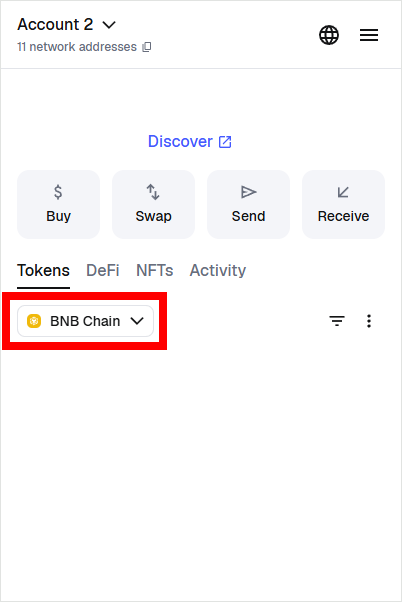
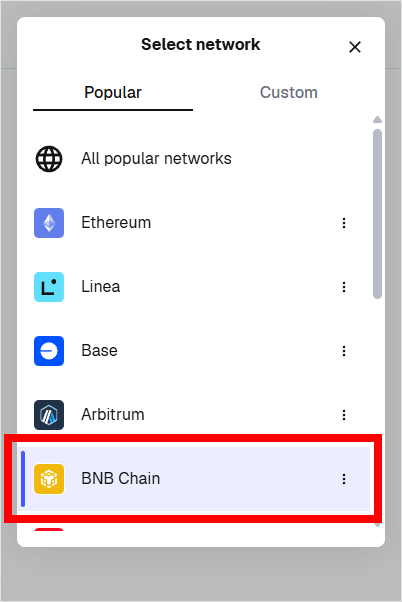
3. **Switch Wallet Network**\
Before connecting your wallet, please switch the network to **Binance Smart Chain (BSC)** in MetaMask.
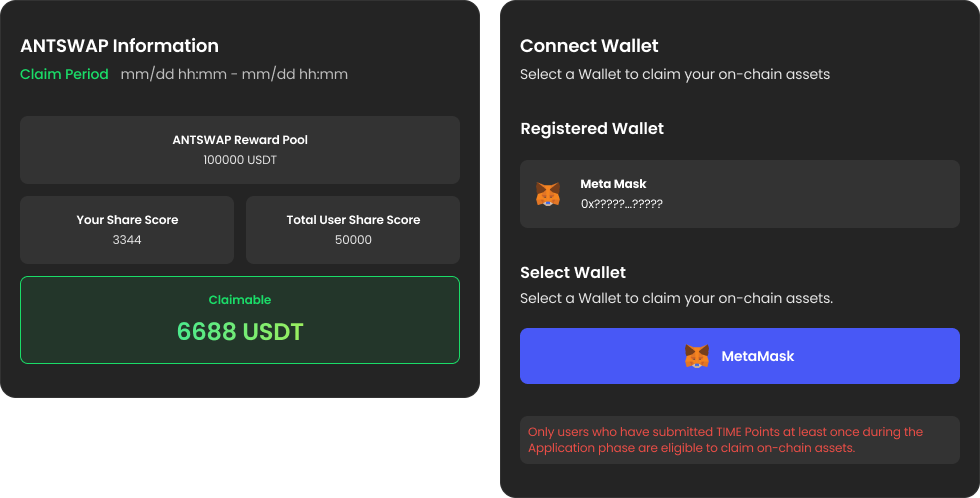
4. **Connect Wallet**\
Verify the wallet address you registered during the **'Wallet Registration & Become a Timy'** step and connect the wallet with the exact same address.
* *※ You cannot claim on-chain assets if you connect a wallet different from the one registered during the 'Wallet Registration & Become a Timy' step.*
5. **Claim**\
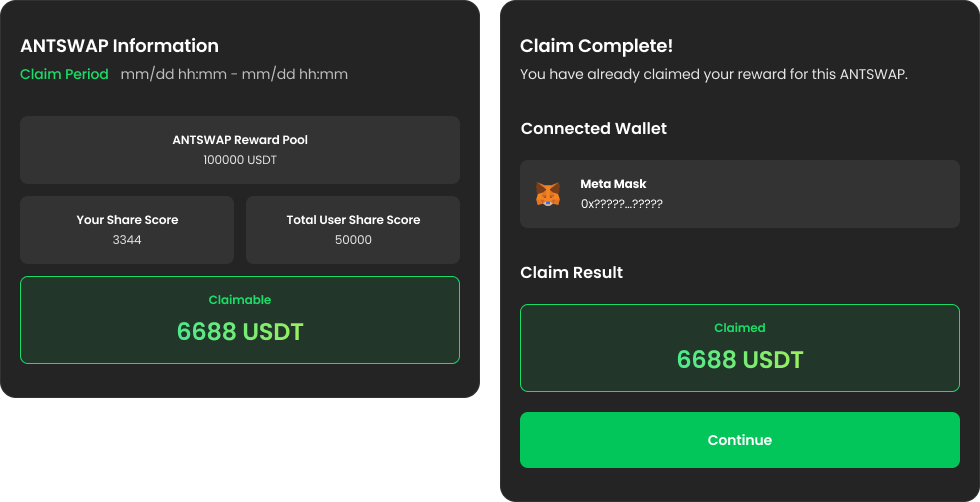
Check the **Reward** allocated to you for this round and claim it.
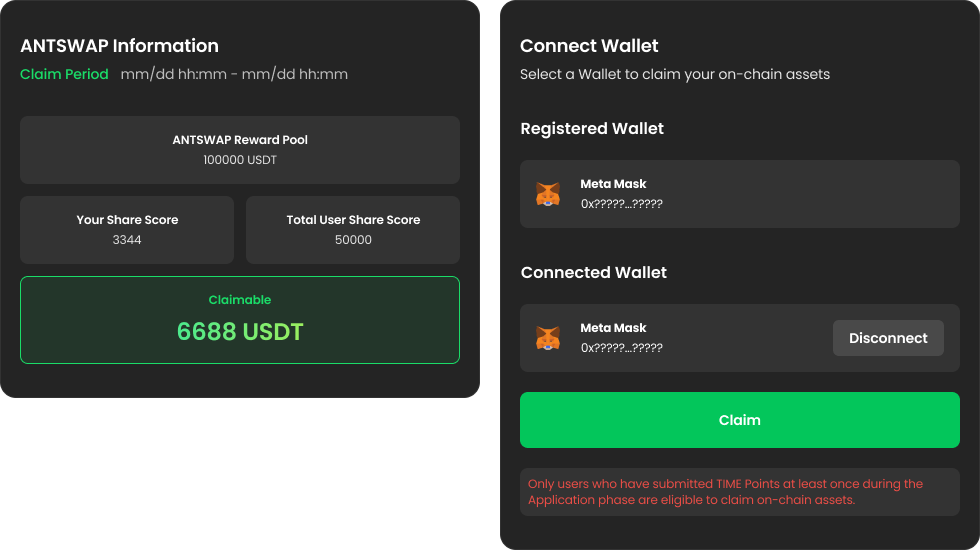
6. **Update Vault**\
If the Reward Claim transaction was successful in your MetaMask wallet, please refresh the page to check if the Reward Claim was transferred successfully. If the transfer is complete, the screen will change as shown below.
7. **Proceed to Next Round / Redeem Phase**
* If there are remaining rounds in the current season, please wait until the **Application** period for the next round.
* If the final round of the season has completed the Claim stage, please proceed to the **Redeem** phase.