> For the complete documentation index, see [llms.txt](https://whitepaper.anttime.net/llms.txt). Markdown versions of documentation pages are available by appending `.md` to page URLs; this page is available as [Markdown](https://whitepaper.anttime.net/products-and-services/antswap/redeem.md).
# Redeem
Redeem the ANTTIME Tokens submitted during the season, along with any bonuses, to the wallet registered during the **'Wallet Registration & Become a Timy'** period.\
*※ Redemption can only be performed using the wallet registered during the 'Wallet Registration & Become a Timy' period.*
## How to Participate
1. **Go to the ANTSWAP Website**
\
Please visit the ANTSWAP website.
\
**🔗 ANTSWAP:**
2. **Go to the ‘Redeem’ Page**\
Please navigate to the **‘Redeem’** page.
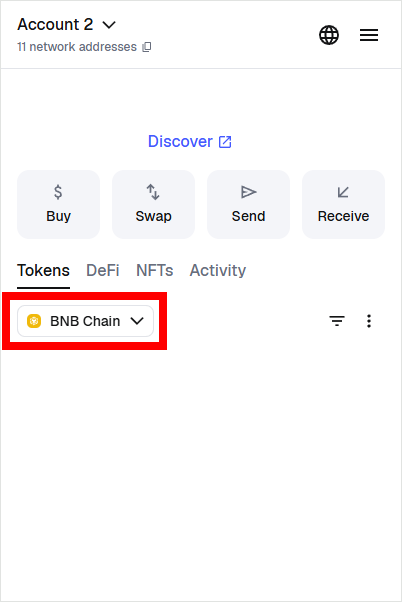
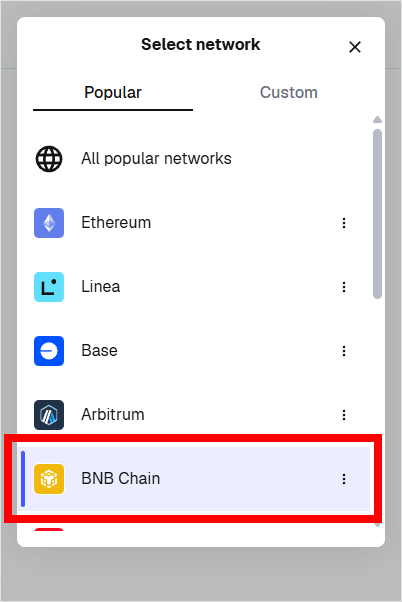
3. **Switch Wallet Network**\
Before connecting your wallet, please switch the network to **Binance Smart Chain (BSC)** in MetaMask.
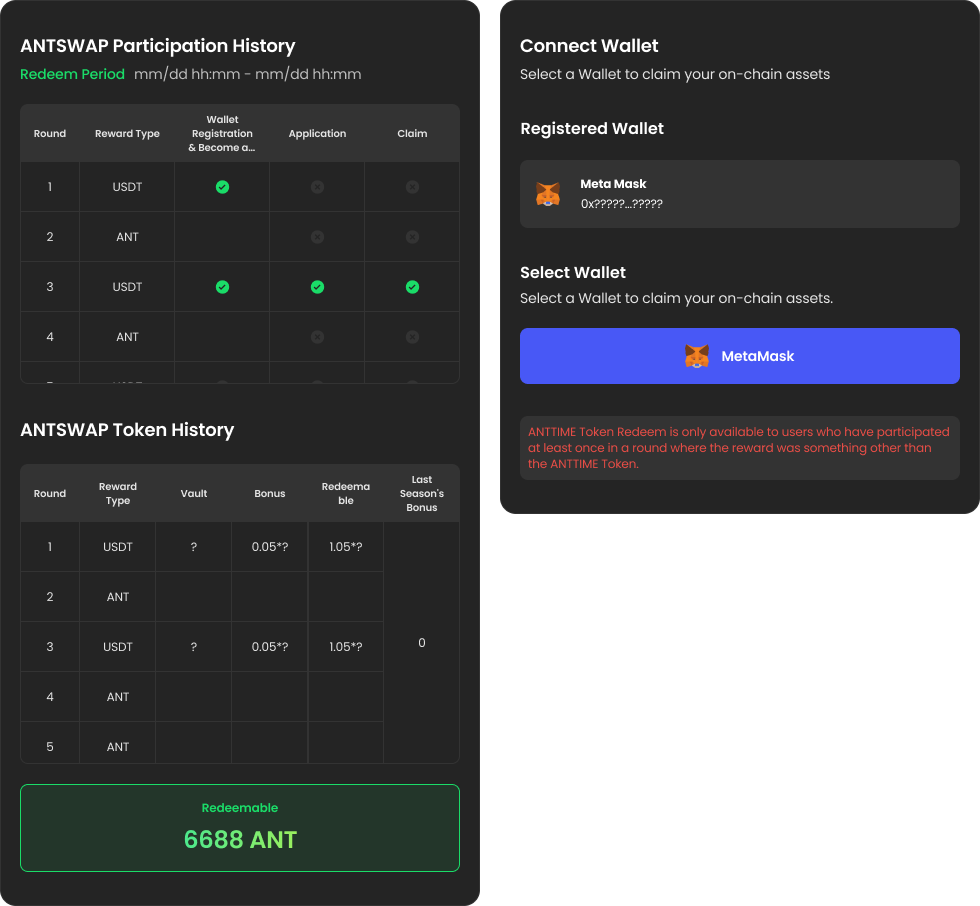
4. **Connect Wallet**\
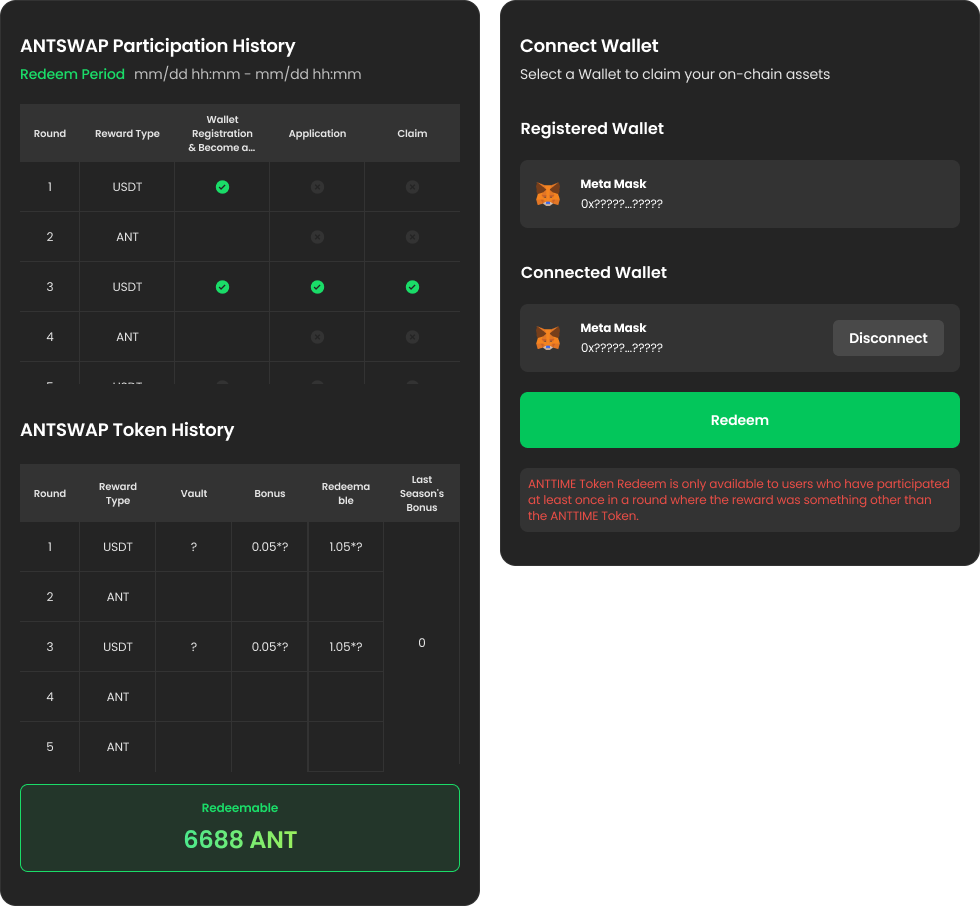
Verify the wallet address you registered during the **'Wallet Registration & Become a Timy'** step and connect the wallet with the exact same address.
* *※ You cannot redeem ANTTIME Tokens if you connect a wallet different from the one registered during the 'Wallet Registration & Become a Timy' step.*
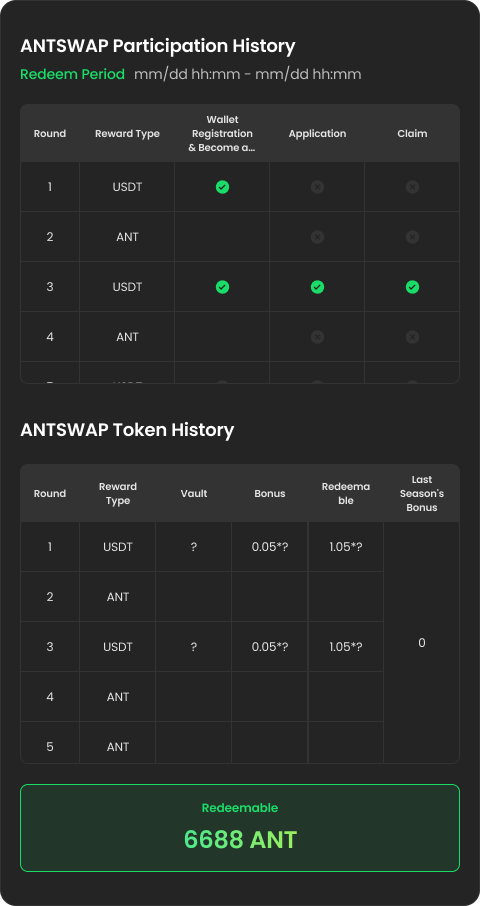
5. **Check ANTSWAP History**
* Check your participation records for each round included in this season in the **ANTSWAP Participation History**.
* Check the ANTTIME Token submission records for each round, the number of Bonus ANTTIME Tokens, and the Last Season’s Bonus Tokens in the ANTSWAP Token History.
6. **Redeem**\
Check the ANTTIME Tokens available for redemption this season and redeem them.
7. **Update Vault**\
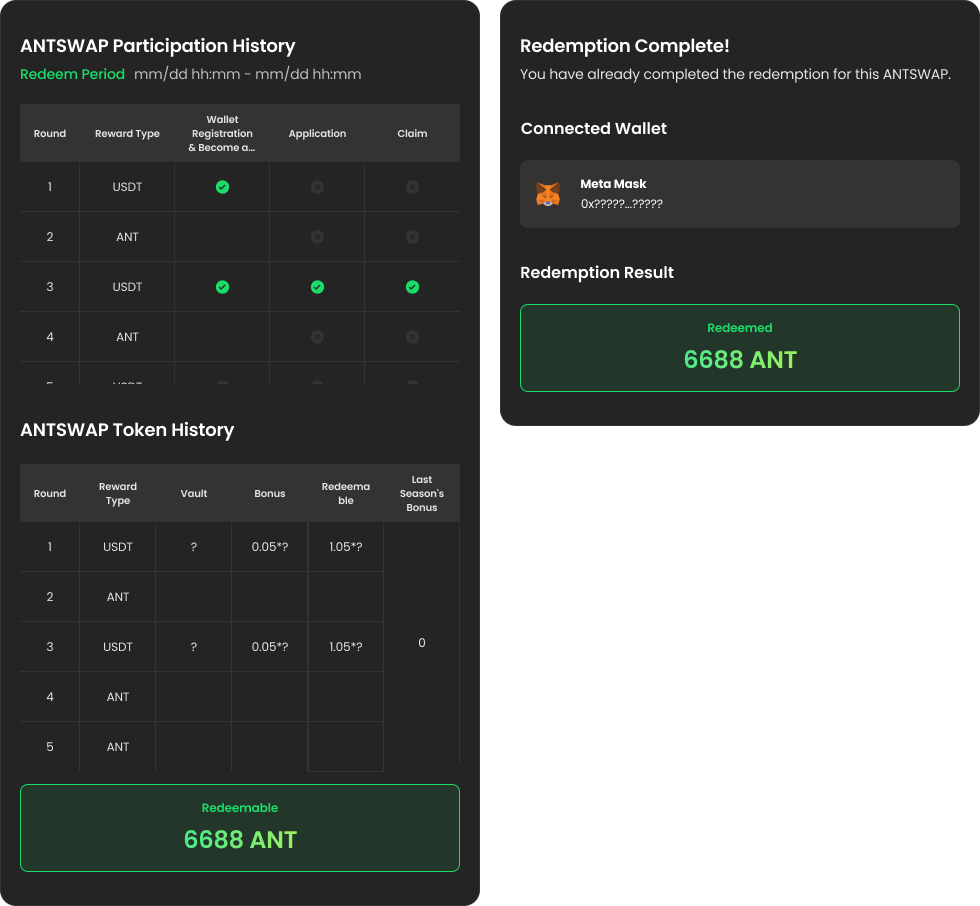
If the ANTTIME Token Redeem transaction was successful in your MetaMask wallet, please refresh the page to check if the ANTTIME Token Redeem was transferred successfully. If the transfer is complete, the screen will change as shown below.