> For the complete documentation index, see [llms.txt](https://whitepaper.anttime.net/llms.txt). Markdown versions of documentation pages are available by appending `.md` to page URLs; this page is available as [Markdown](https://whitepaper.anttime.net/products-and-services/antswap/wallet-registration-and-become-a-timy-reward-other-assets.md).
# Wallet Registration & Become a Timy - Reward: Other Assets
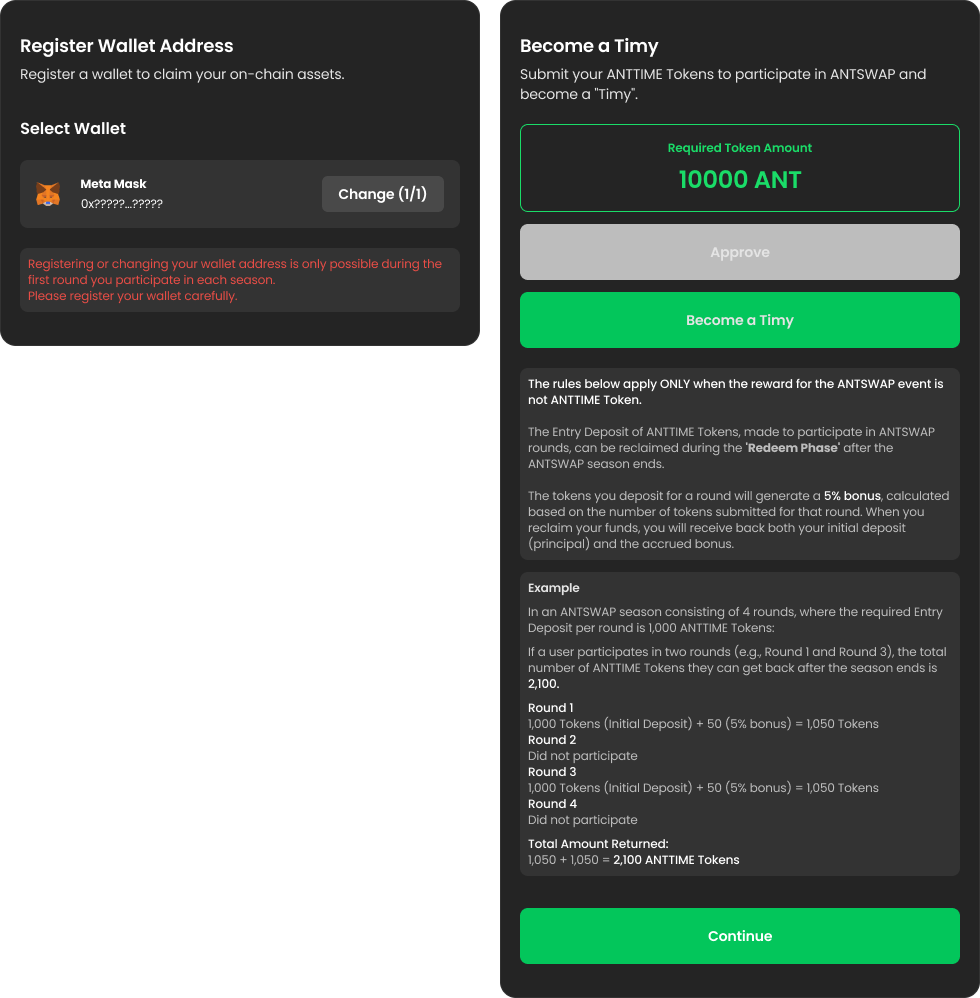
In this step, you can register the wallet you will use for ANTSWAP during this season and proceed to participate. Depending on the reward type, you may need to submit ANTTIME Tokens to obtain **"Timy"** status to join ANTSWAP.
## How to Participate
1. **Go to the ANTSWAP Website**
\
Please visit the ANTSWAP website.
\
**🔗 ANTSWAP:**
2. **Go to the ‘Wallet Registration & Become a Timy’ Page**\
Please navigate to the **‘Wallet Registration & Become a Timy’** page.
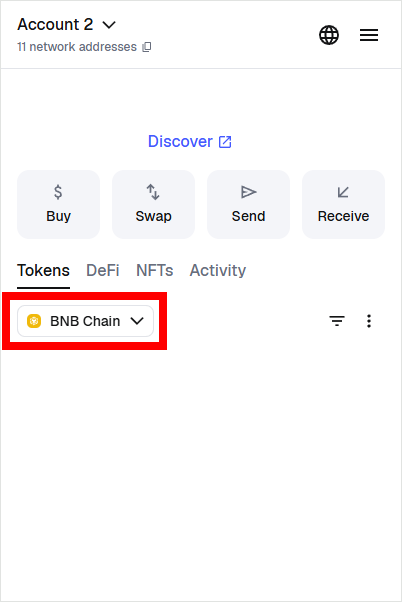
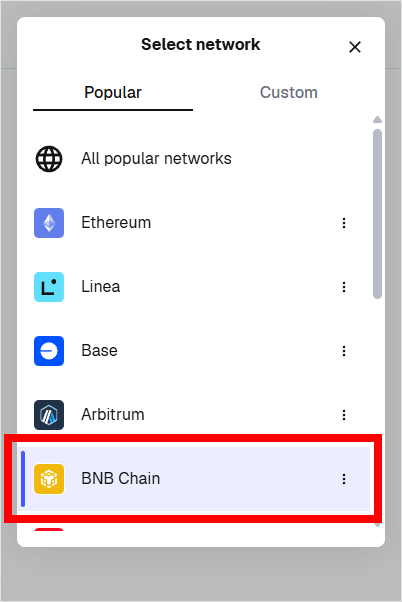
3. **Switch Wallet Network**\
Before connecting your wallet, please switch the network to **Binance Smart Chain (BSC)** in MetaMask.
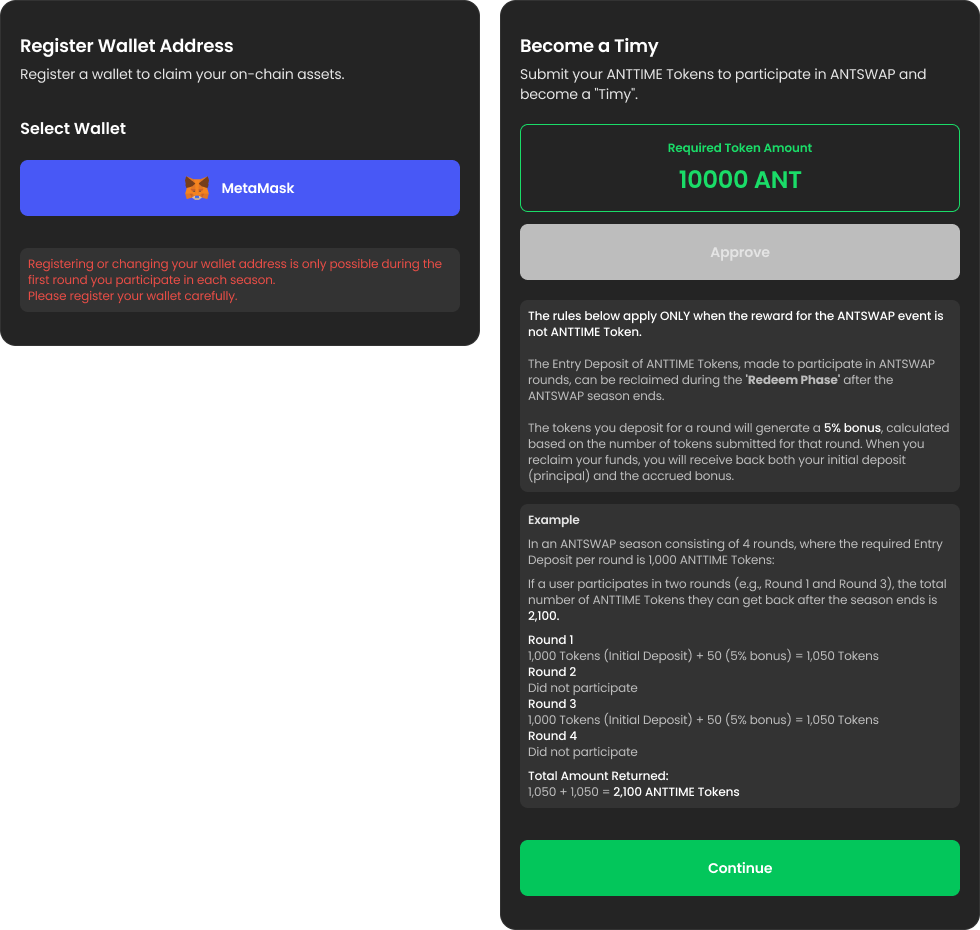
4. **Wallet Registration**\
This is the step to register the wallet you will use to participate in ANTSWAP and receive on-chain assets throughout the season.
* Registration is allowed only during the **first round** you participate in for the season.
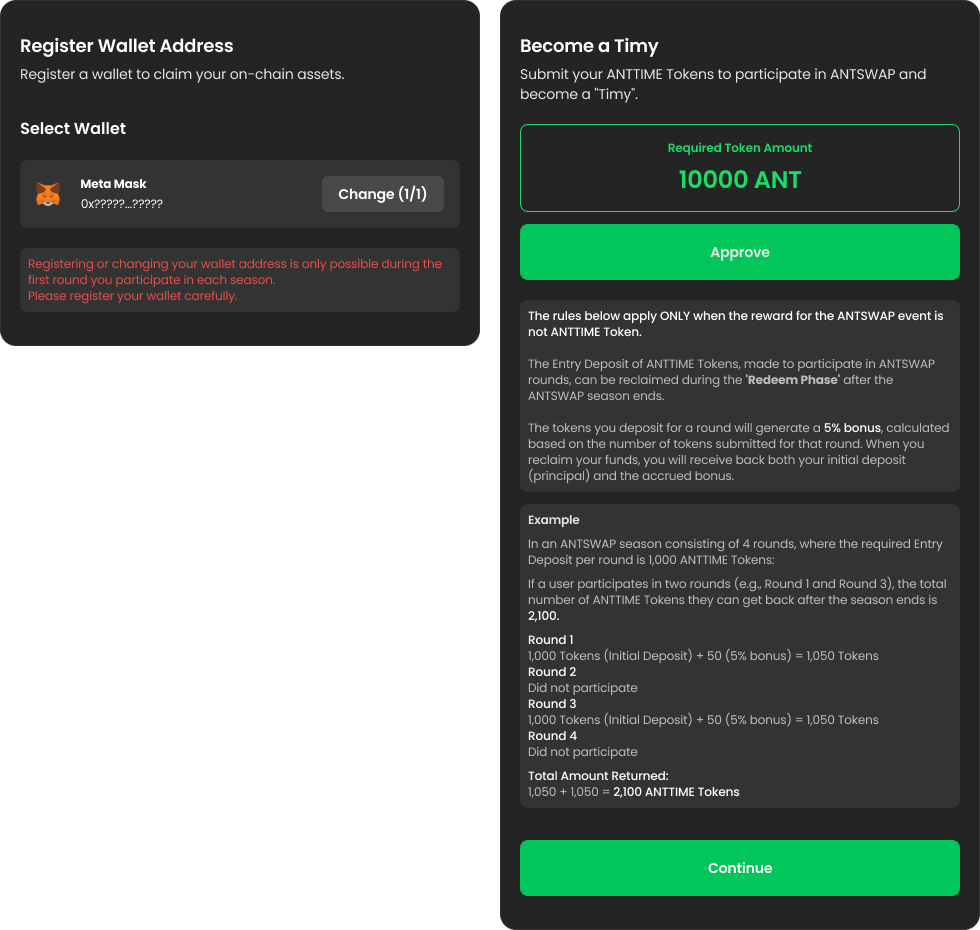
* You can update the registration **up to 2 times** as long as you haven't proceeded with other functions, so please register carefully.
* *※ The registered wallet will be fixed for use throughout this season.*
5. **Become a Timy**\
This is the step to obtain **"Timy"** status depending on the reward type. **This applies when the round's reward is NOT the ANTTIME Token.**\
The Entry Deposit of ANTTIME Tokens, made to participate in ANTSWAP rounds, can be reclaimed during the **Redeem Phase** after the ANTSWAP season ends.\
*※ Once you have completed the ‘Become a Timy’ process, you cannot change your registered wallet, even if you have remaining registration attempts.*
* Once wallet registration is complete, a button will become active allowing you to submit the required ANTTIME Tokens, depending on the reward type.
1. Please prepare the required amount of ANTTIME Tokens in the wallet you registered during the **Wallet Registration** step.
2. Click the **“Approve”** button to authorize the movement of ANTTIME Tokens from your connected wallet.\ You may safely ignore any warning messages that appear during this process and proceed.\ A transaction to **approve permission** (allowance) for a specific amount of ANTTIME Tokens held in your connected wallet.
3. After the approval is processed, click the activated **“Become a Timy”** button to deposit your ANTTIME Tokens.\ You may safely ignore any warning messages that appear during this process and proceed.\ A transaction to **approve the transfer** (deposit) of the required ANTTIME Tokens for the 'Become a Timy' step.
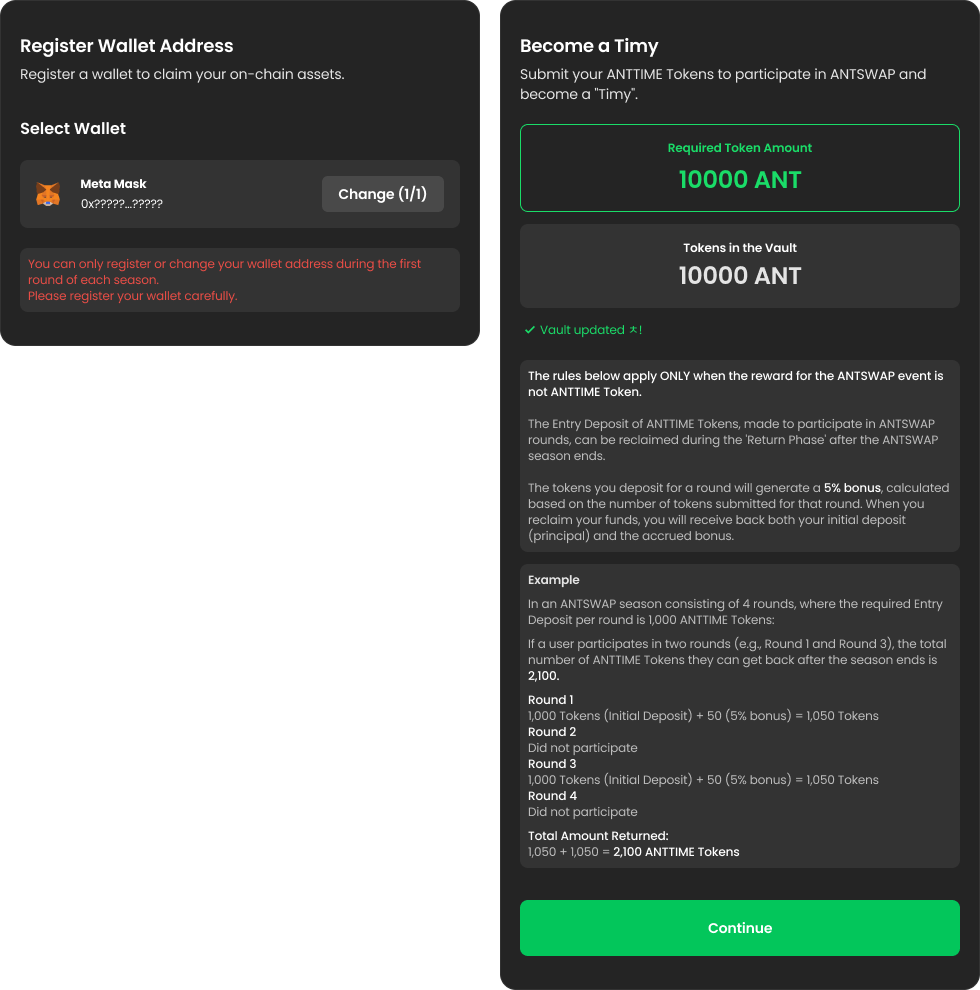
6. **Update Vault**\
If the ANTTIME Token transfer transaction was successful in your MetaMask wallet, please refresh the page to check if the tokens were transferred successfully. If the transfer is complete, the screen will change as shown below.
7. **Proceed to Application Step**\
Please proceed to the Application step, where you can submit your TIME Points.