> For the complete documentation index, see [llms.txt](https://whitepaper.anttime.net/llms.txt). Markdown versions of documentation pages are available by appending `.md` to page URLs; this page is available as [Markdown](https://whitepaper.anttime.net/products-and-services/anttime/get-start/link-with-telegram.md).
# Link with Telegram
Connect with Telegram
## **Important Notice**
Once a Telegram account is linked, it cannot be re-linked to another account.
***
## 1. Download ANTTIME and Sign up
ANTTIME App Download Link[ ](<
https://anttime.net/link?path=referral\&code=ANTOWN>)
***
## 2. Select the Telegram Link Button
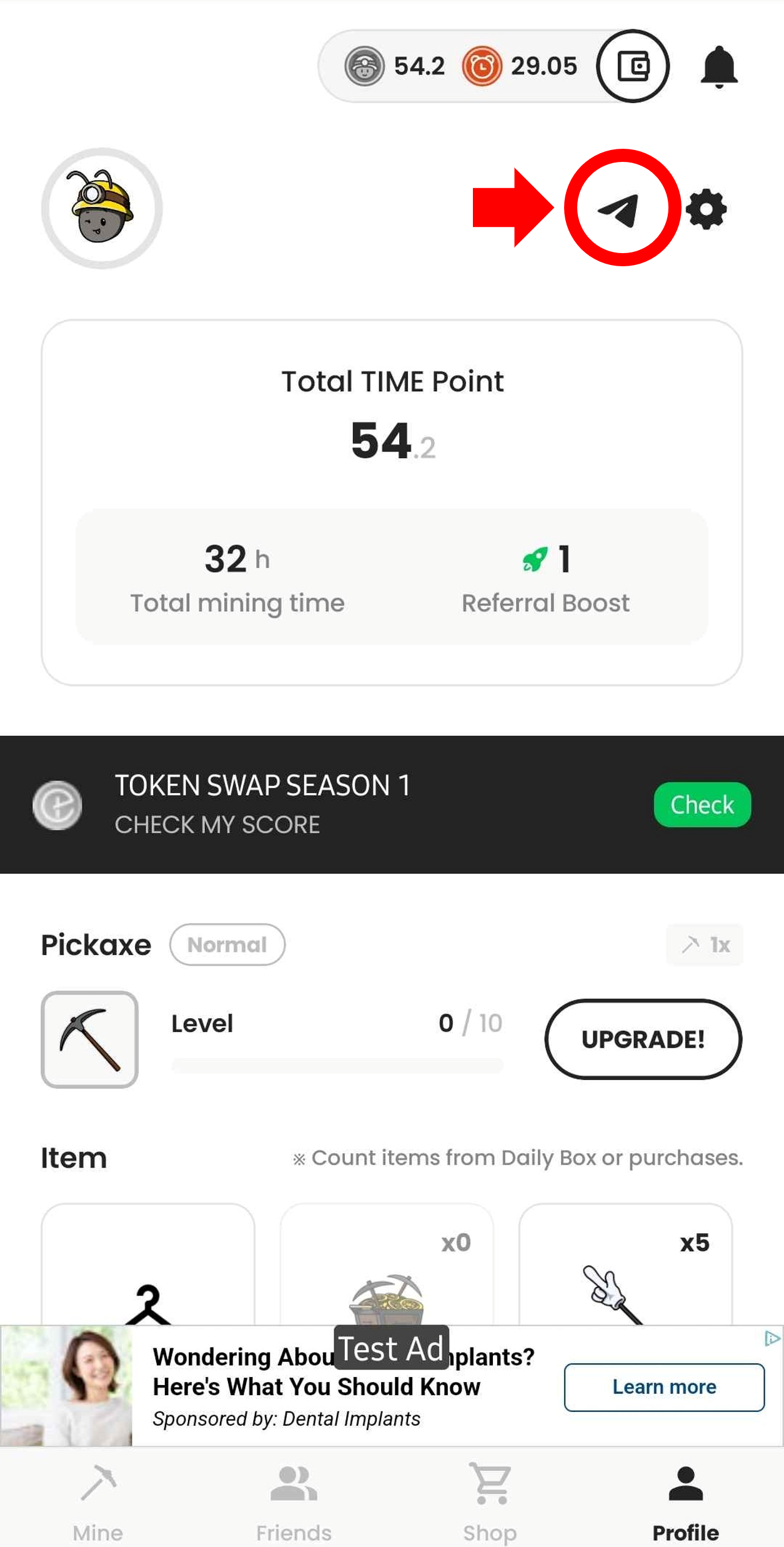
Navigate to the Profile screen in ANTTIME.\
Select the **Telegram Link Button**, as shown in the attached image.
***
## 3. Enter Telegram Account Information
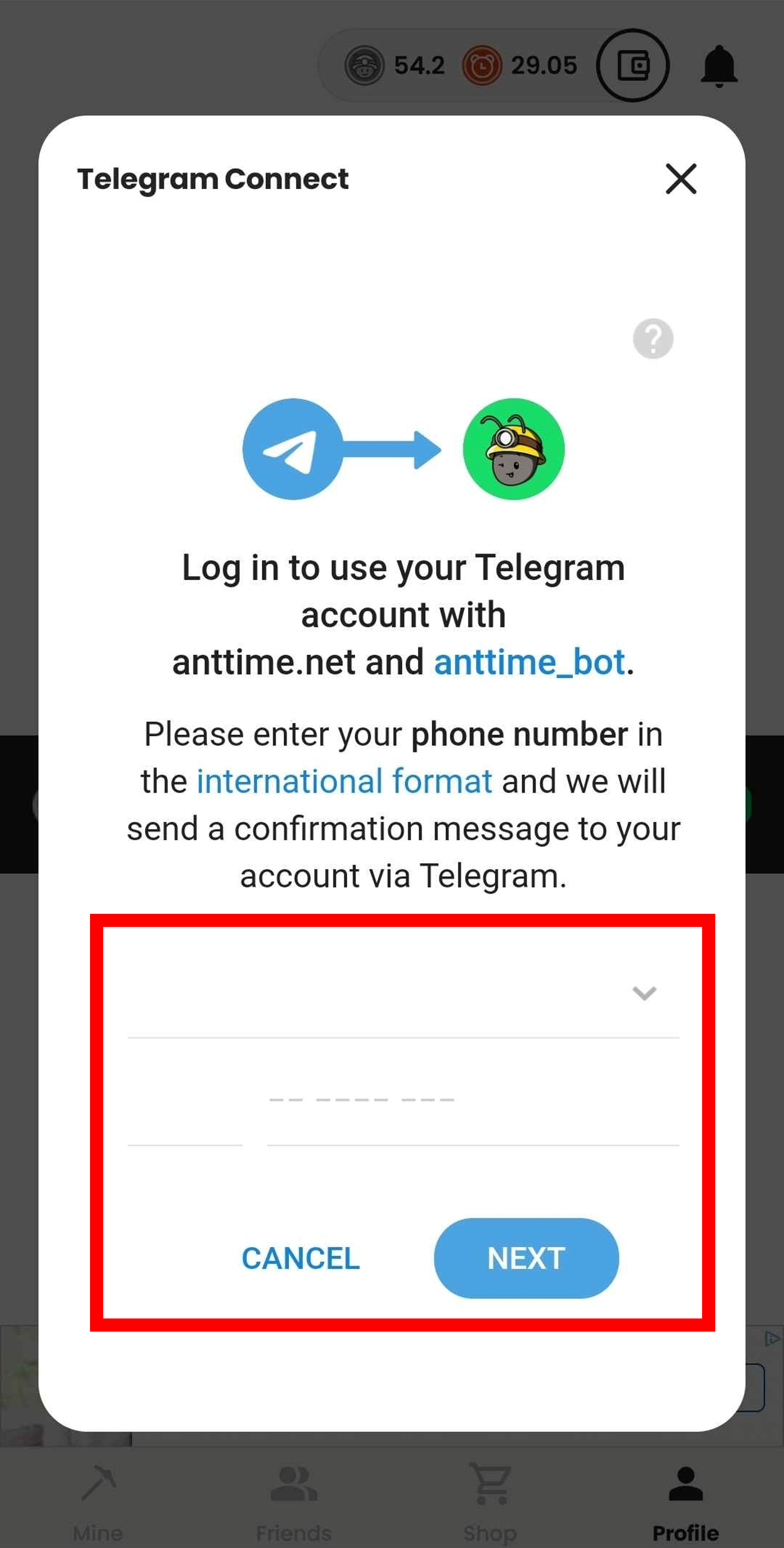
Input the country code and phone number of the Telegram account you wish to link.\
Press the **NEXT** button to proceed.
***
## 4. Approve Telegram Account Link
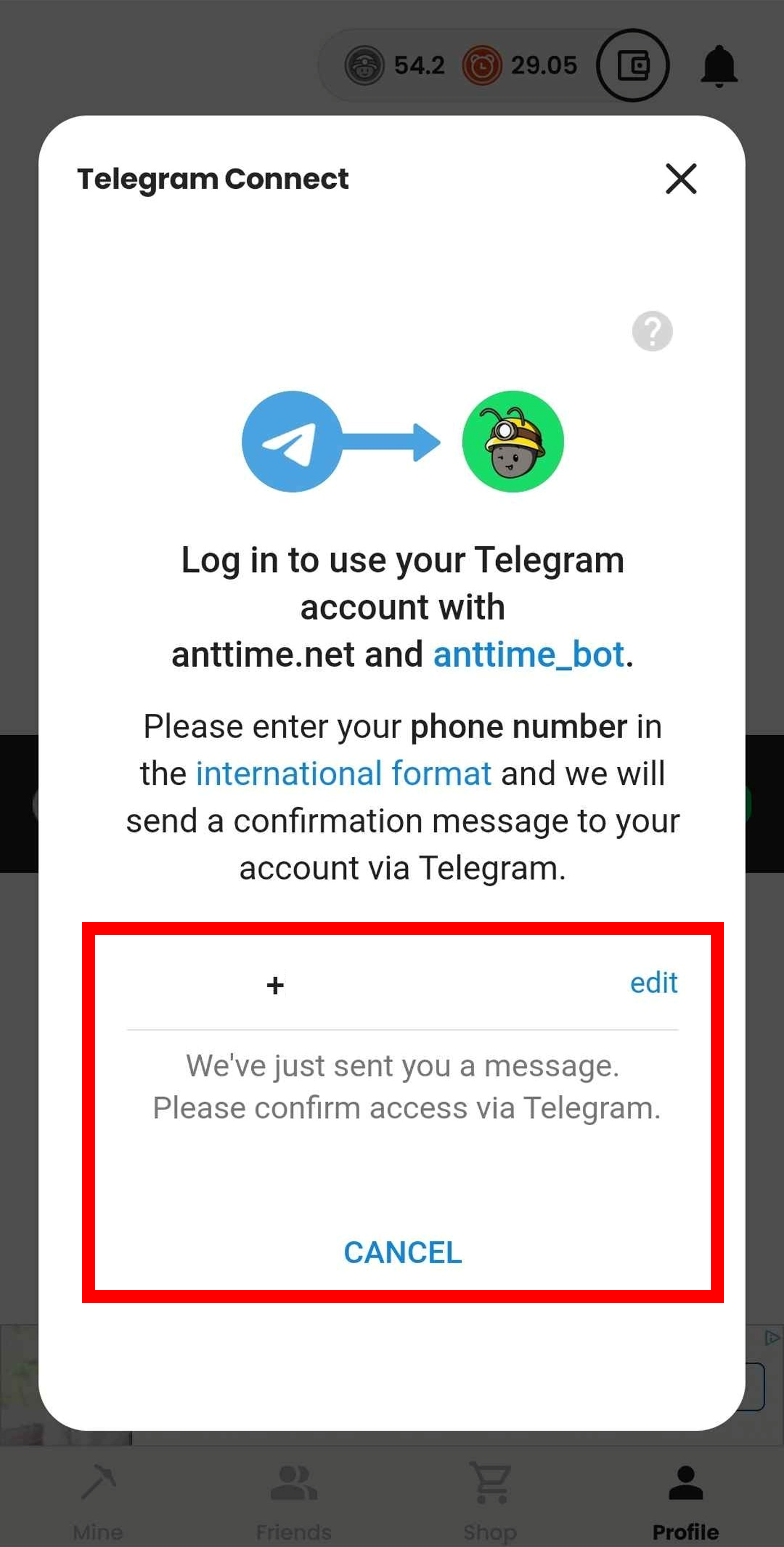
When prompted with the approval screen (see attached image), access your Telegram account and approve the connection with ANTTIME.
***
## 5. Verify and Confirm Telegram Account
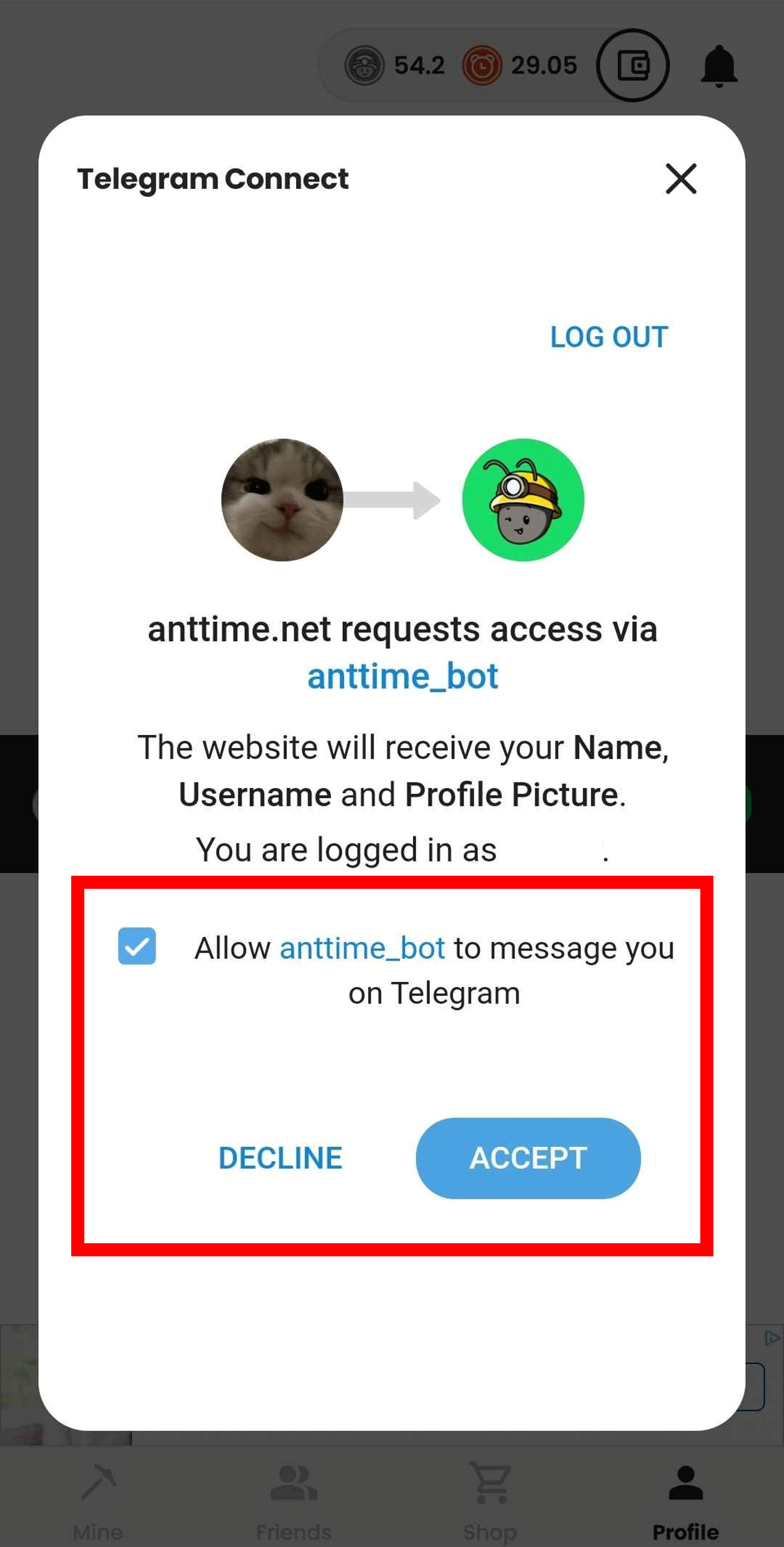
Return to ANTTIME and verify the Telegram account displayed for linking.\
If the information is correct, select the **ACCEPT** button to confirm.
***
## 6. Successful Telegram Link
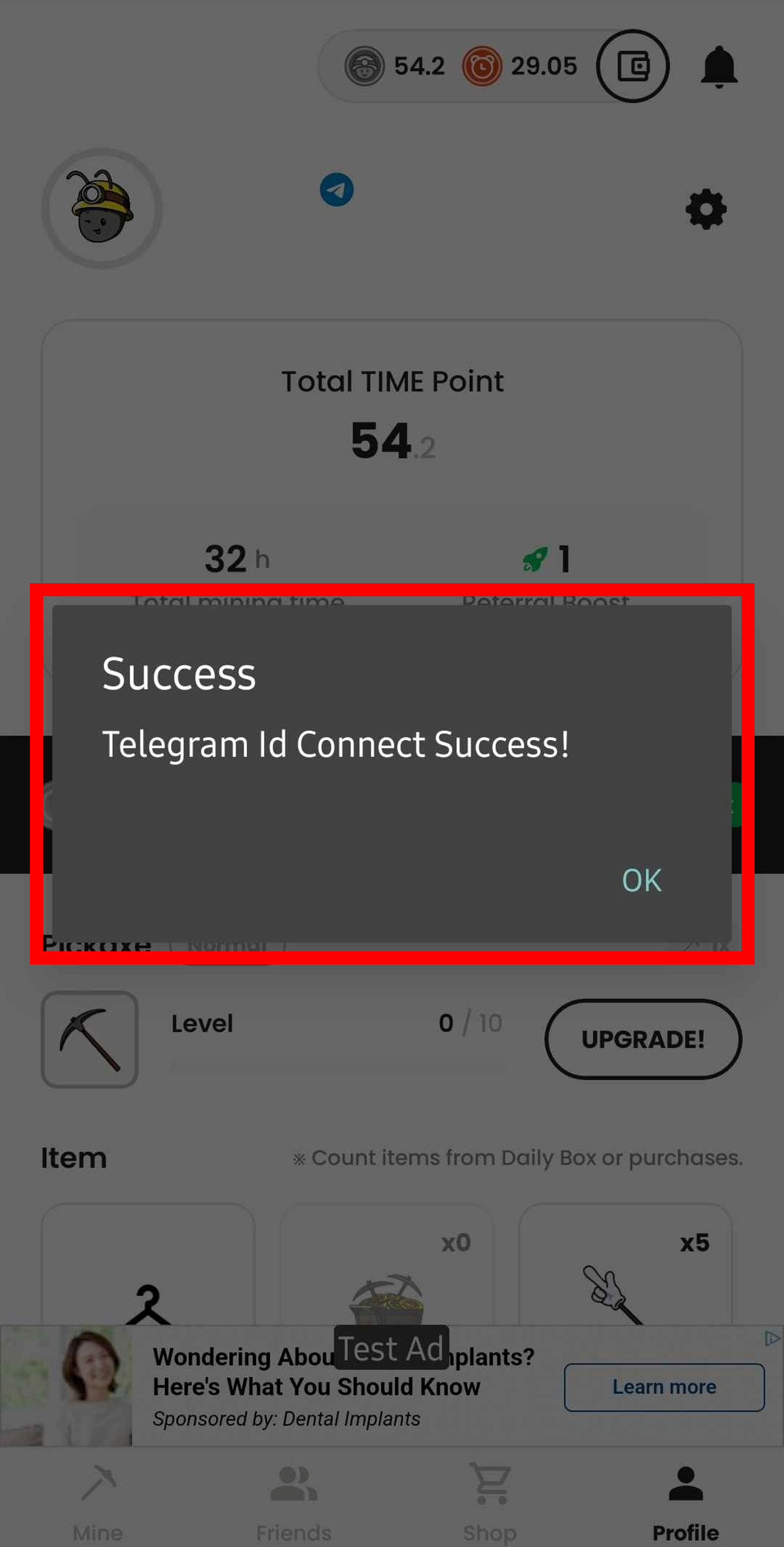
Your Telegram account has now been successfully linked with ANTTIME.
***
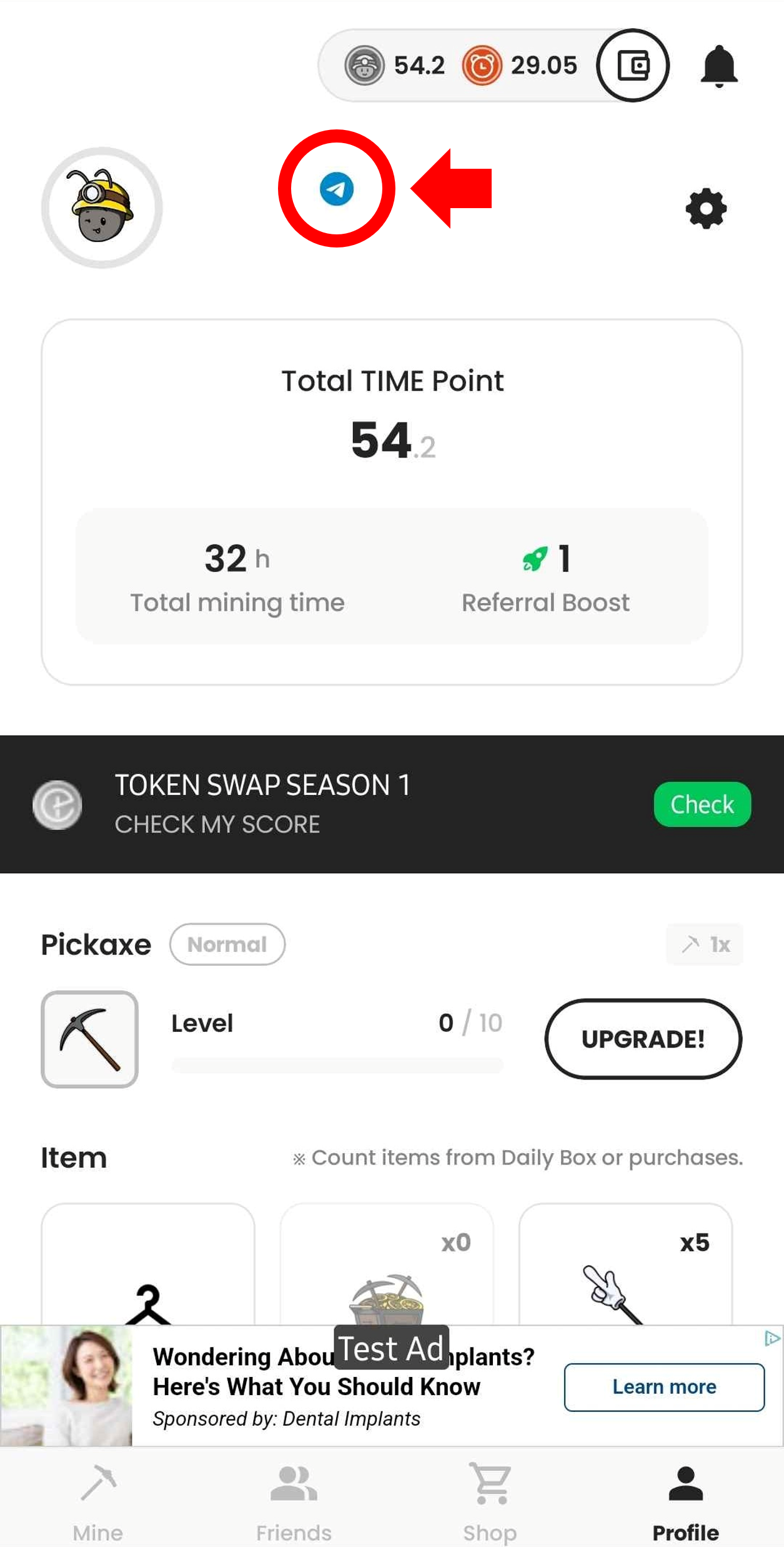
## 7. Confirm Telegram Link
Check the Profile screen in ANTTIME.\
If the Telegram icon appears as shown in the attached image, the linking process is complete.