> For the complete documentation index, see [llms.txt](https://whitepaper.anttime.net/llms.txt). Markdown versions of documentation pages are available by appending `.md` to page URLs; this page is available as [Markdown](https://whitepaper.anttime.net/tokenomics/anttime-token/how-to-add-anttime-token-to-your-wallet.md).
# How to add ANTTIME Token to your wallet
In MetaMask, you must manually add specific tokens to your token list to view your balance.
\
This guide explains how to add the **ANTTIME Token** to your MetaMask wallet.
## How to Add - PC
1. **Open MetaMask**\
Launch the MetaMask wallet.
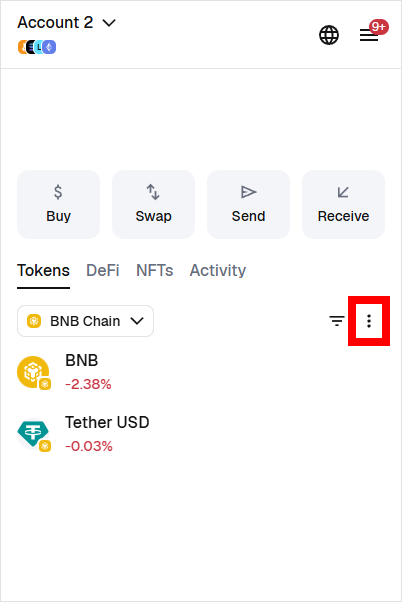
2. **Token List Menu**\
Click the menu button within the Token List.
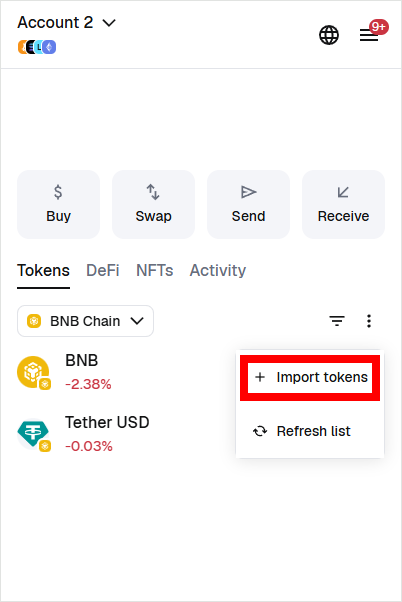
3. **Import Tokens**\
Click the "Import tokens" button (usually located at the bottom of the list).
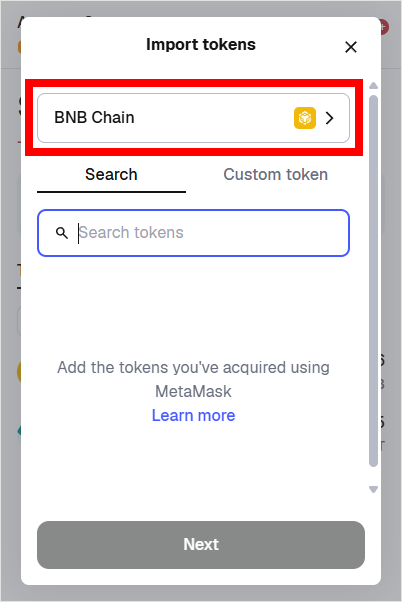
4. **Select Chain**\
Select the chain where you want to add the token. Since the ANTTIME Token is issued on the BNB Chain, please make sure to select BNB Chain.
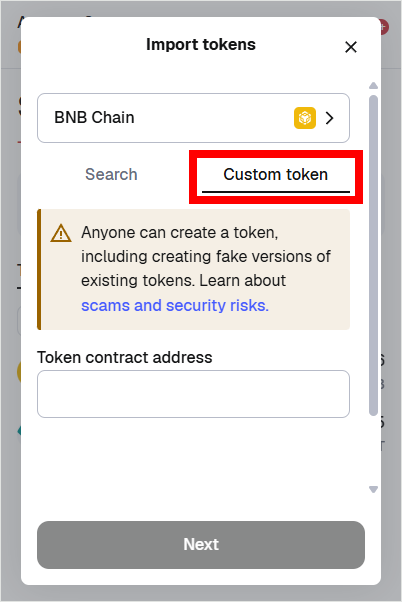
5. **Select 'Custom token'**\
The ANTTIME Token may not appear in the standard search results. Therefore, please select the "Custom token" tab.
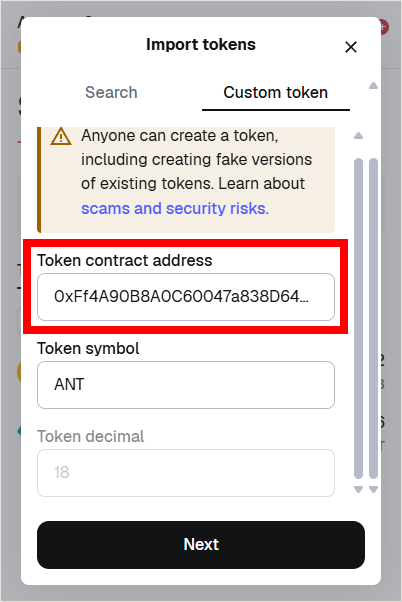
6. **Enter Token Contract Address**\
Enter the Token Contract Address for the ANTTIME Token in the field provided.
* **ANTTIME Token Contract Address:** `0xFf4A90B8A0C60047a838D64DbC762bdb4cB78394`
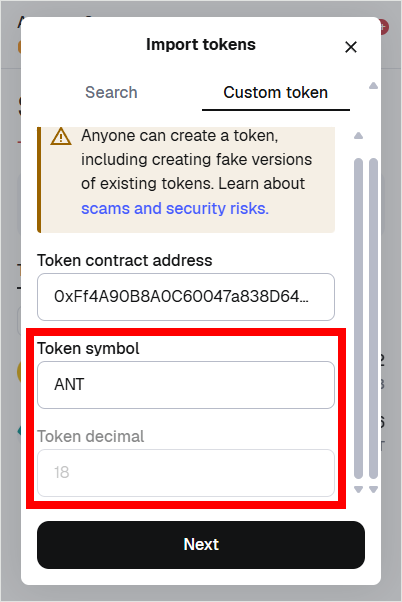
7. **Check Token Symbol and Decimal**\
Once you enter the Token Contract Address, the Token Symbol and Token Decimal should populate automatically.
* **ANTTIME Token Contract Address:** `0xFf4A90B8A0C60047a838D64DbC762bdb4cB78394`
* **Token Symbol:** `ANT`
* **Token Decimal:** `18`
If the information matches the above, click the **"Next"** button.\
⚠️ *if the symbol or decimal is incorrect, please restart the browser where MetaMask is running and start the process again from the beginning.*
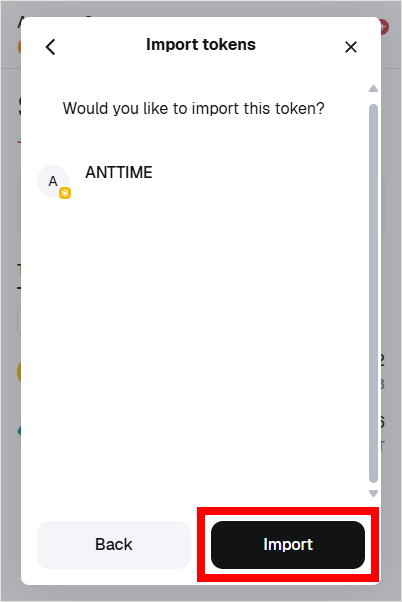
8. **Select Import**\
You will be asked to confirm if you want to add the token. Click the **"Import"** button.
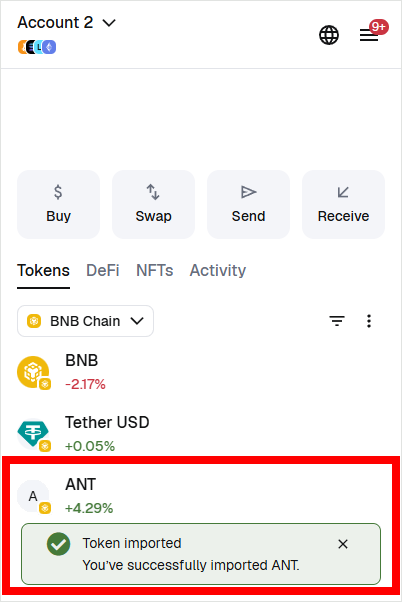
9. **Addition Successful**\
You will see a **"Token imported"** message, and the ANTTIME Token will be added to the bottom of your Token List. You can now check your ANTTIME Token balance and make transfers.
***
## How to Add - Mobile
1. **Open MetaMask**\
Launch the MetaMask app on your mobile device.
2. **Token List Menu**\
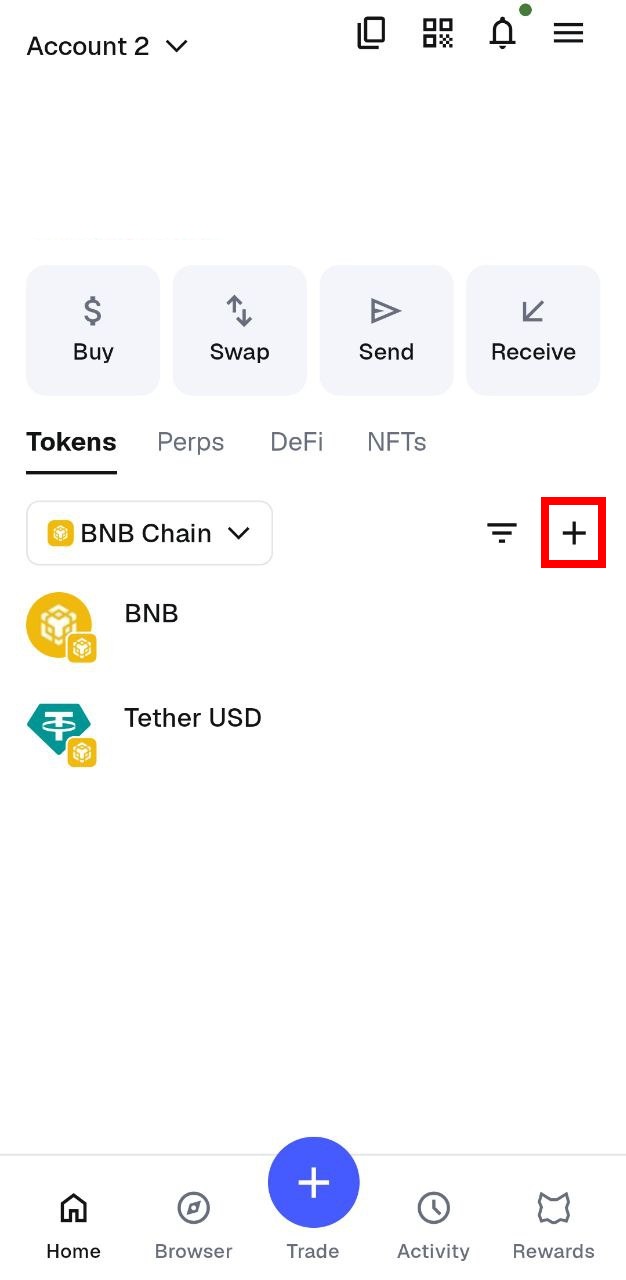
Tap the **“+” (Import Tokens)** button located within the Token List.
3. **Select Chain**\
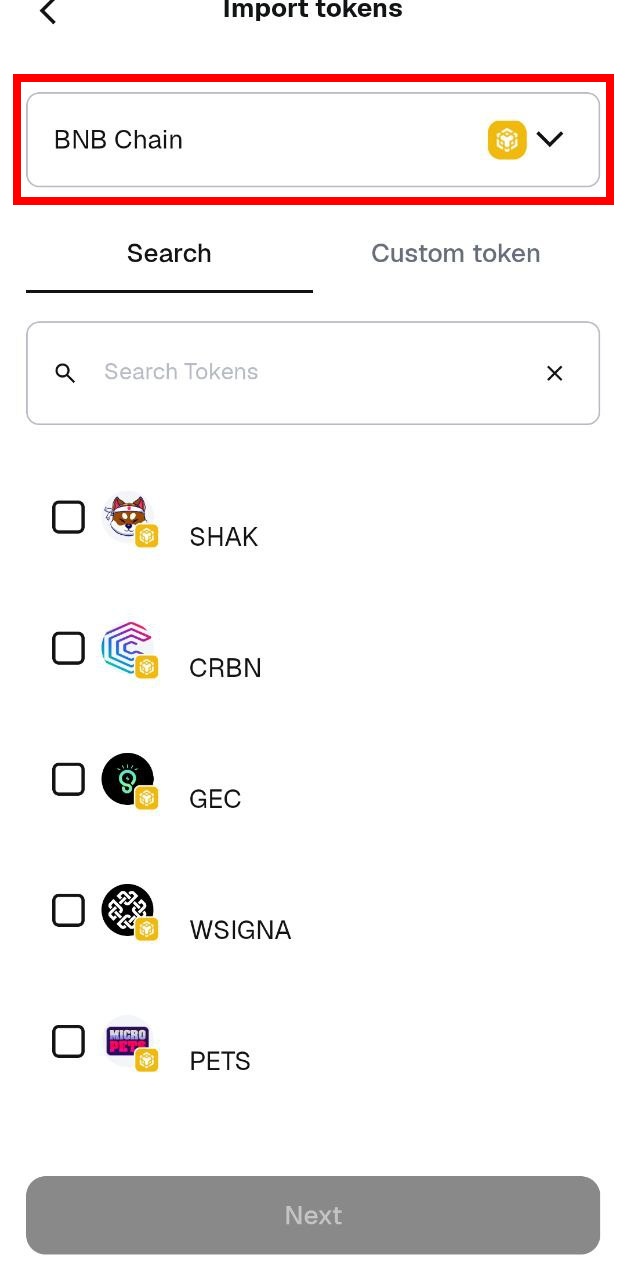
Select the chain where you want to add the token. Since the ANTTIME Token is issued on the BNB Chain, please make sure to select **BNB Chain**.
4. **Select 'Custom Token'**\
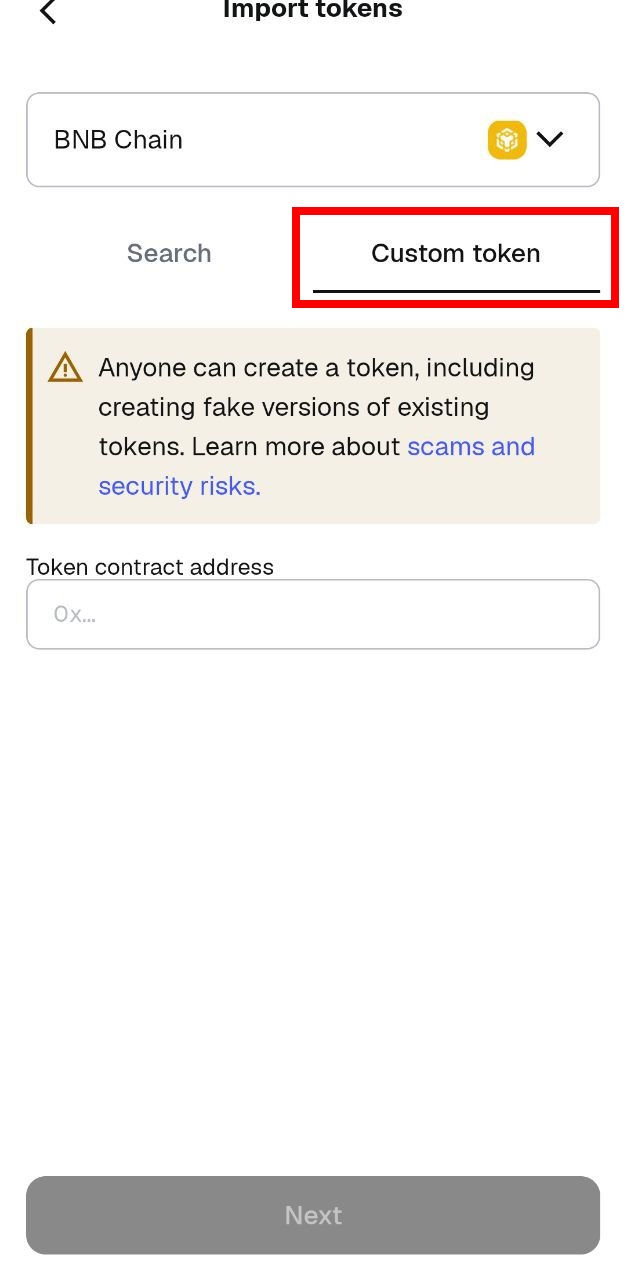
The ANTTIME Token may not appear in the standard search results. Therefore, please select the **"Custom token"** tab.
5. **Enter Token Contract Address**\
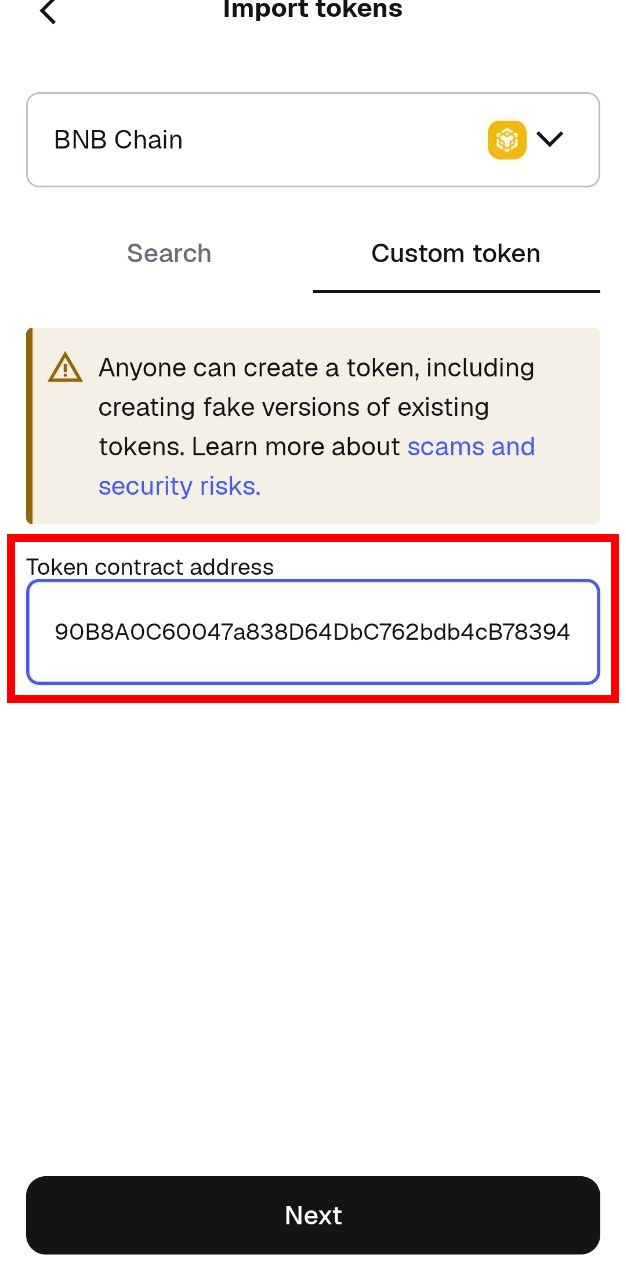
Enter the **Token Contract Address** for the ANTTIME Token in the field provided.
* **ANTTIME Token Contract Address:** `0xFf4A90B8A0C60047a838D64DbC762bdb4cB78394`
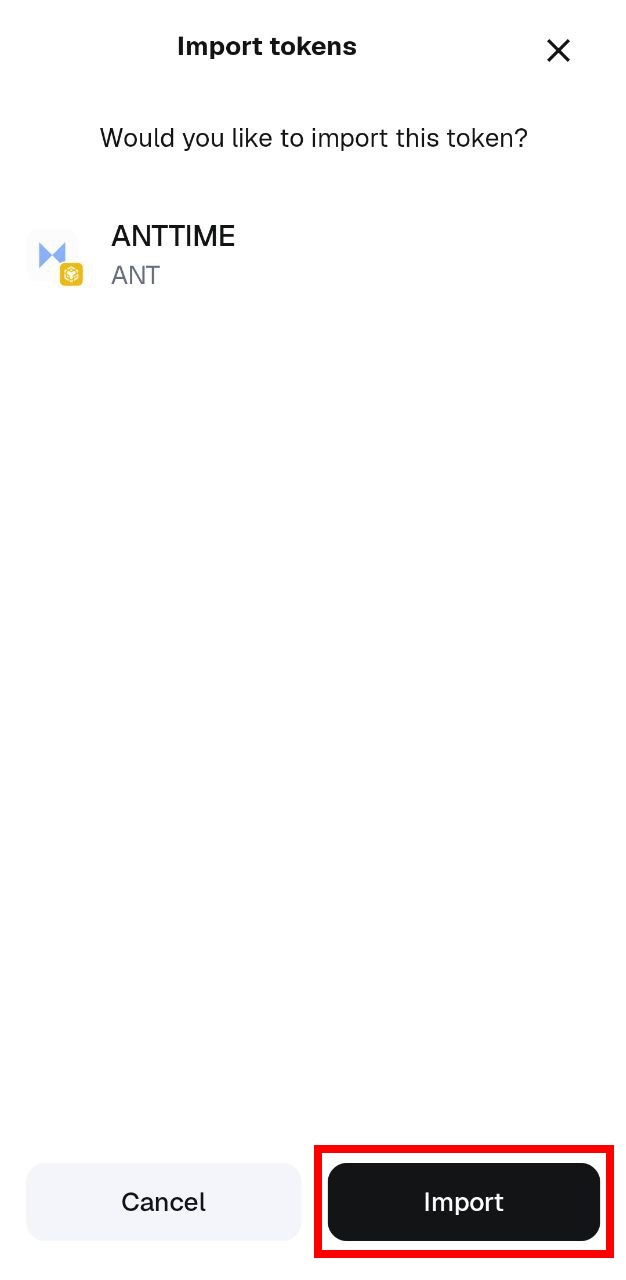
6. **Select Import**\
You will be asked to confirm if you want to add the token. Tap the **"Import"** button.
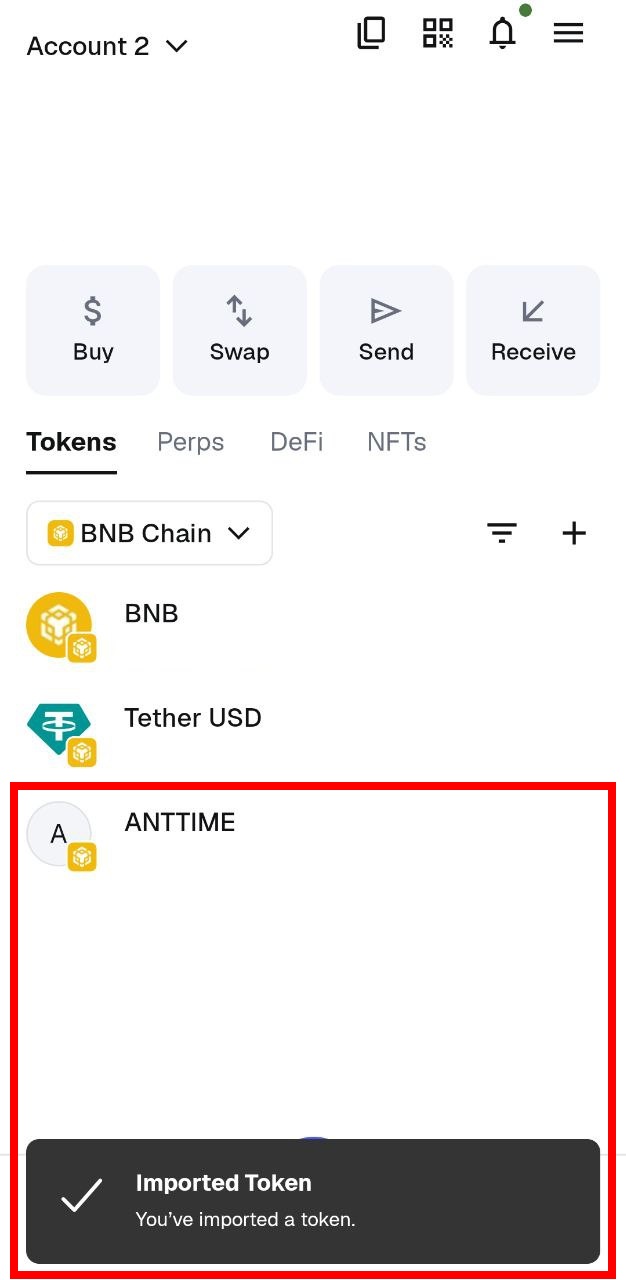
7. **Addition Successful**\
You will see an **"Imported Token"** message, and the ANTTIME Token will be added to the bottom of your Token List. You can now check your ANTTIME Token balance and make transfers.